
Turn Any TV into Digital Signage (Step-by-Step Guide)
Want to display promotions, menus, or announcements on a screen?
The good news is — you don’t need expensive equipment to get started.
In this guide, we’ll show you how to turn any TV into a digital signage system quickly and easily.
What You Need to Get Started
To convert a TV into digital signage, you only need a few basic components:
Basic setup:
- A TV or commercial display
- A media player (or mini PC)
- Digital signage software
- Content (images, videos, menus, etc.)
👉 That’s it — no complicated setup required.
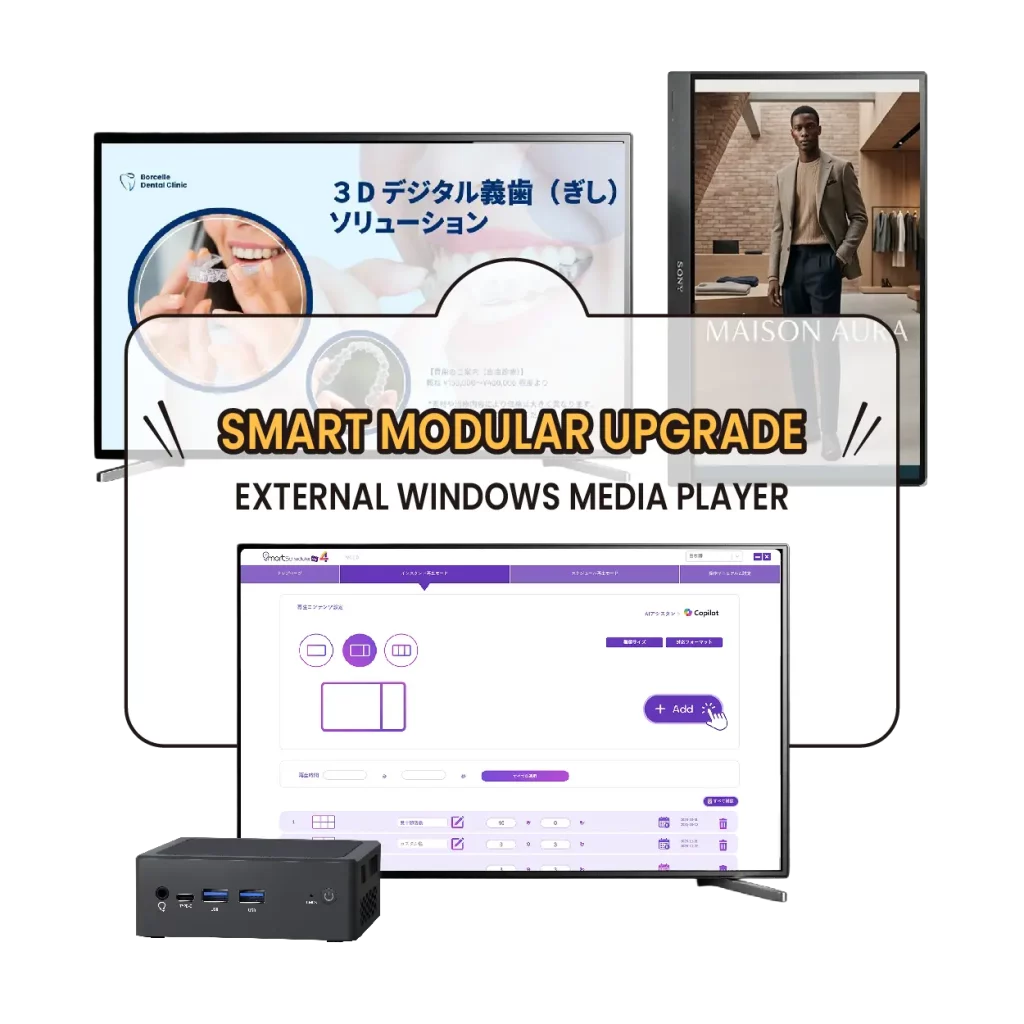
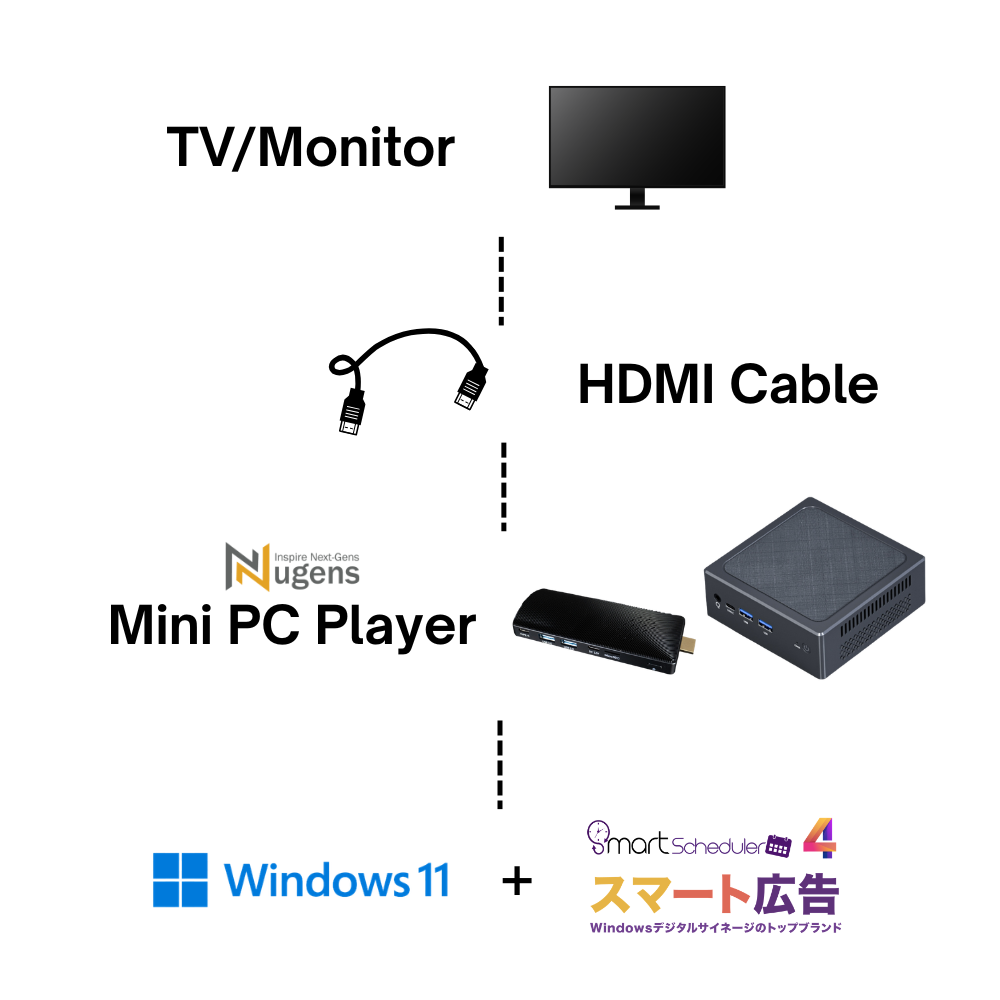
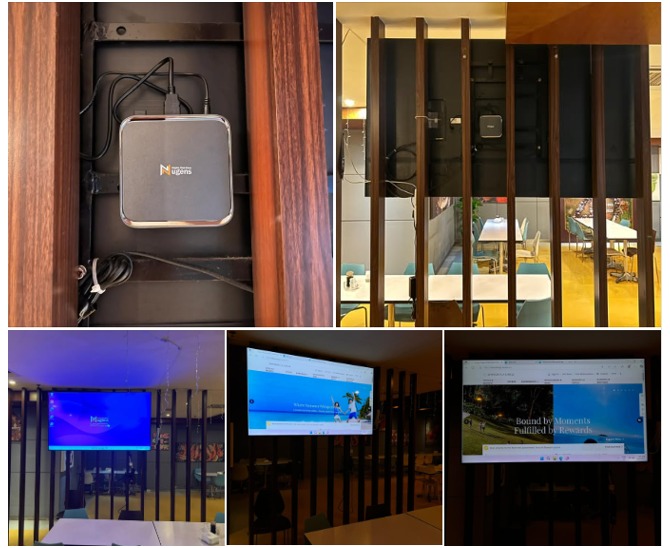
Method 1: Use a Windows Mini PC (Recommended)
This is the most flexible and stable solution.
Why choose this method:
- Works like a normal computer
- Supports all media formats
- No internet required
- Easy to update content
👉 Simply connect a Windows mini PC to your TV via HDMI.
Method 2: USB Plug & Play
Some TVs support direct USB playback; check whether your TV/monitor supports this feature.
Pros:
- Very simple
- No software needed
Cons:
- No scheduling
- No remote update
- Limited flexibility
👉 Suitable for basic looping content only.
Method 3: Cloud-Based Digital Signage
This method uses online platforms.
Basic setup:
- A TV or commercial display
- An Android player
- Android digital signage software and sign up for a monthly plan
- Content (images, videos, menus, etc.)
Pros:
- Remote control
- Accessible anywhere
Cons:
- Requires internet
- Requires monthly fees
- Risk of a black screen if the connection fails
👉 Not ideal for unstable network environments.
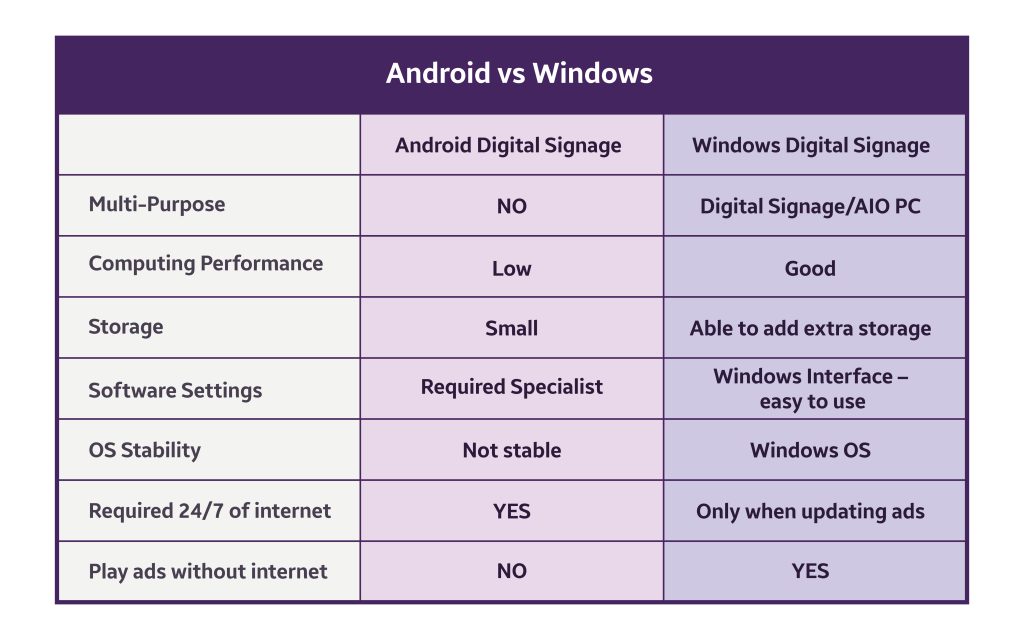
Best Method for Most Businesses
For most businesses, a Windows-based system is the best choice.
Because it offers:
- Offline playback
- No monthly fee
- Easy content management
- High stability
👉 It’s the perfect balance between simplicity and control.
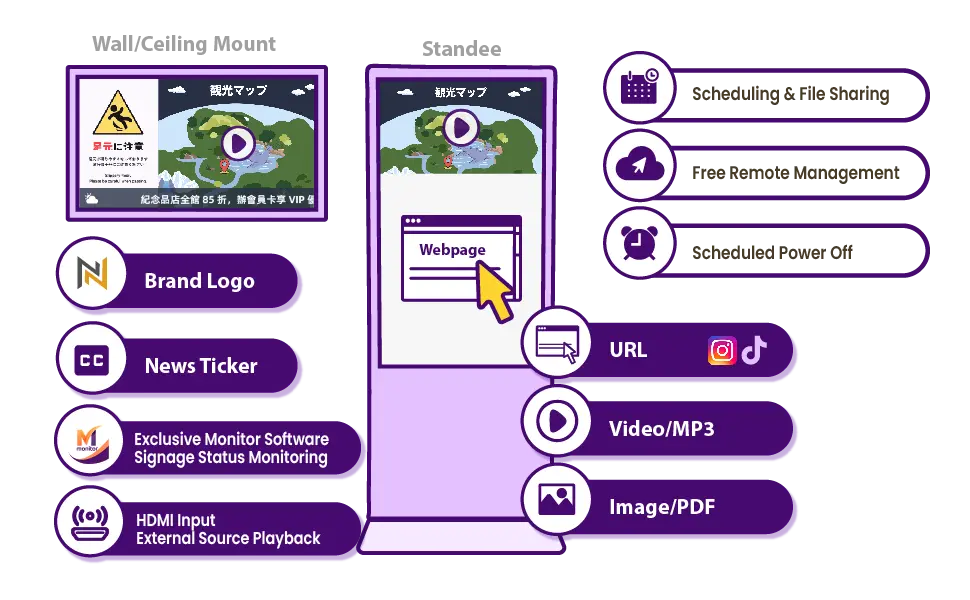
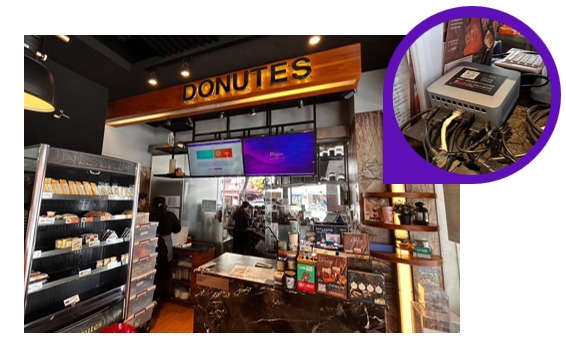
Real-World Use Cases
Retail Stores
Display promotions and product highlights.
Restaurants
Show menus and combo deals.
Offices
Share announcements and dashboards.
Clinics & Hospitals
Provide queue info and health messages.
Tips for Better Digital Signage
To make your signage more effective:
- Keep content simple and clear
- Use high-resolution images
- Update content regularly
- Avoid too much text
👉 Good content = better engagement.



Start Turning Your TV into Digital Signage Today
Setting up digital signage doesn’t have to be complicated.
With the right tools, you can transform any TV into a powerful communication screen.
👉 No monthly fee
👉 Works offline
👉 Easy to manage

👉 Explore our Windows digital signage solution here:
👉 https://mysmartscheduler.com/en/